In a really competitive world like e-Commerce, shoppers have millions and millions of options to choose from. And, while most of the products have long product descriptions and social proof, they are missing one important part, the Q&A section.
Product descriptions and reviews help, they really do. But they don't always cover the exact concerns someone has in that specific moment. And honestly, it's often those small unanswered questions that stop a customer from going with their final purchase decision.
What Are Product Q&A Sections?
Customers will always have questions about the products. And if they can’t find answers as quickly as possible, they’ll just leave and check another store.
A product Q&A widget lets customers ask questions directly on the product page, and the answers stay there for others to see too. So instead of searching around or messaging support, everything is right there where they need it.
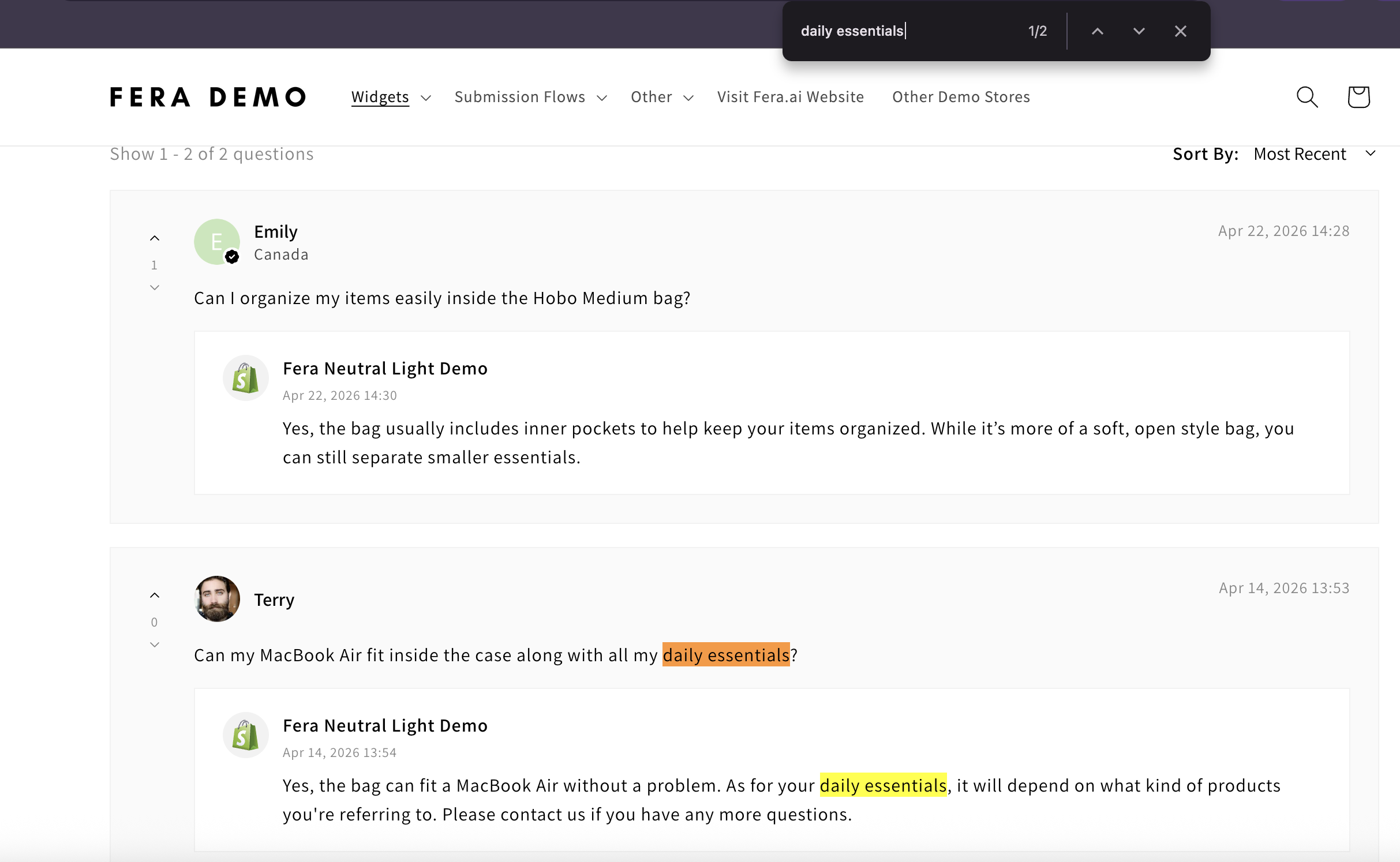
It basically keeps things simple and saves time for everyone.
1. How Q&A Reduces Purchase Hesitation
Questions like:
“Will this really fit me properly?”
“Is the material as durable as they say it is?”
“How long does the shipping to my country might take?”
These might seem small, but they matter more than you can ever think about. That little bit of uncertainty is often enough to slow someone down or make them leave from your store forever.
A Q&A section can help remove that hesitation. When people see real questions with clear answers, they feel more and more comfortable. They don't have to guess or overthink it, they can just decide and move forward.
2. How Q&A Builds Trust Instantly
Trust is a big part of getting someone to buy.
When customers see a Q&A section, it kind of signals a few things right away:
- The store is active
- Other people are actually interested in the product
- You’re open about details
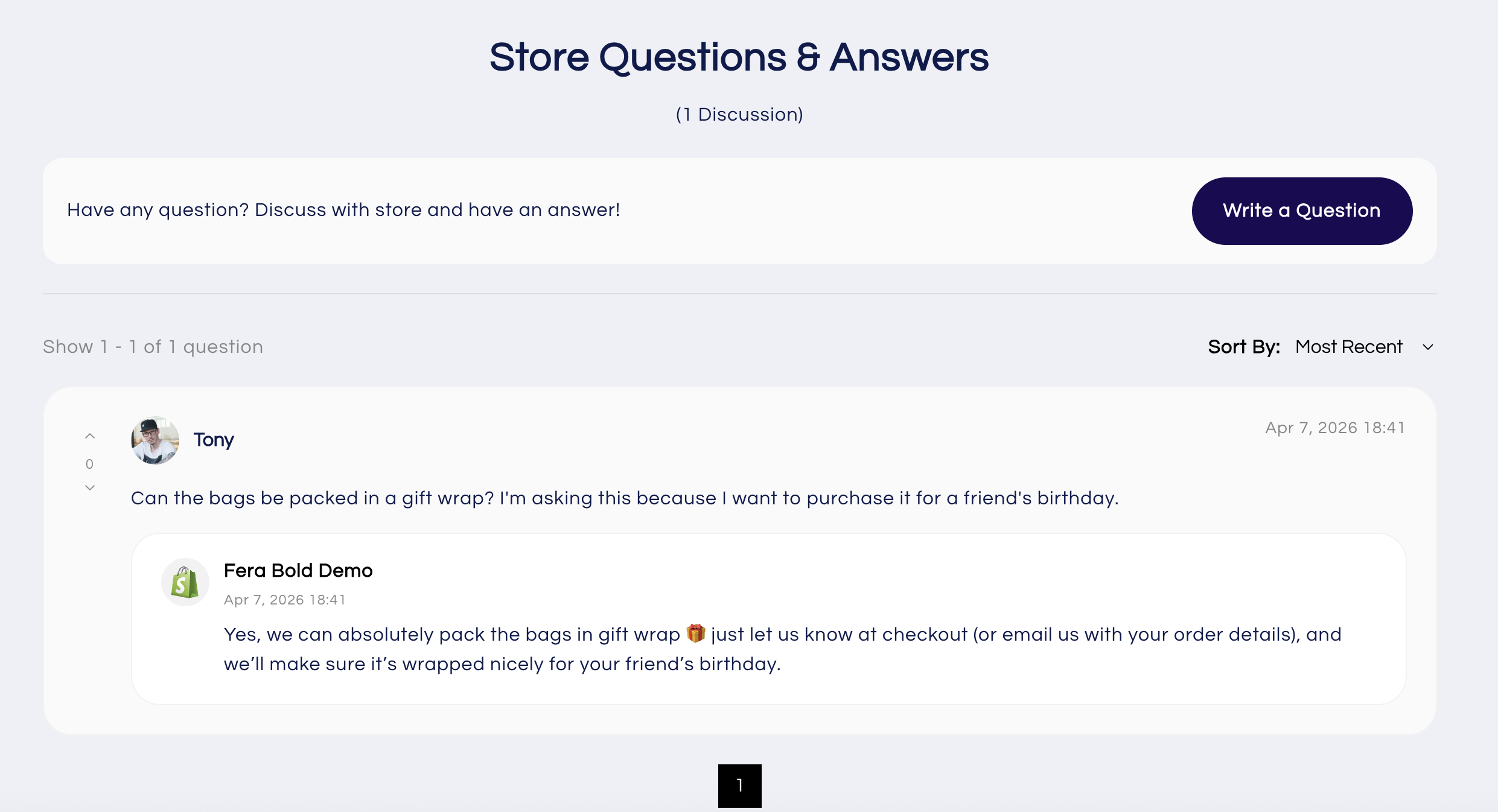
It also feels more real. Instead of just polished descriptions, they see actual questions and honest answers. And simply put, when something feels more real, people are more likely to trust it, and buy.
3. How Q&A Keeps Customers on Your Page
If someone has to leave your product page to look for answers, there's a good chance they won't come back.
Q&A helps avoid that.
Instead of opening new tabs or searching elsewhere, customers can just scroll, read, and keep going.
4. How to Add a Q&A Widget to Your Store
With apps like Fera, adding a Q&A widget is pretty straightforward. You don't need to manually update product pages or handle everything one by one. Questions and answers show up automatically, turning everyday customer interactions into something useful for future buyers.
You can follow the steps in the video below or even check our help article if that's easier.
5. How to Maximize Your Q&A for Better Conversions
To get the most out of it, keep things simple:
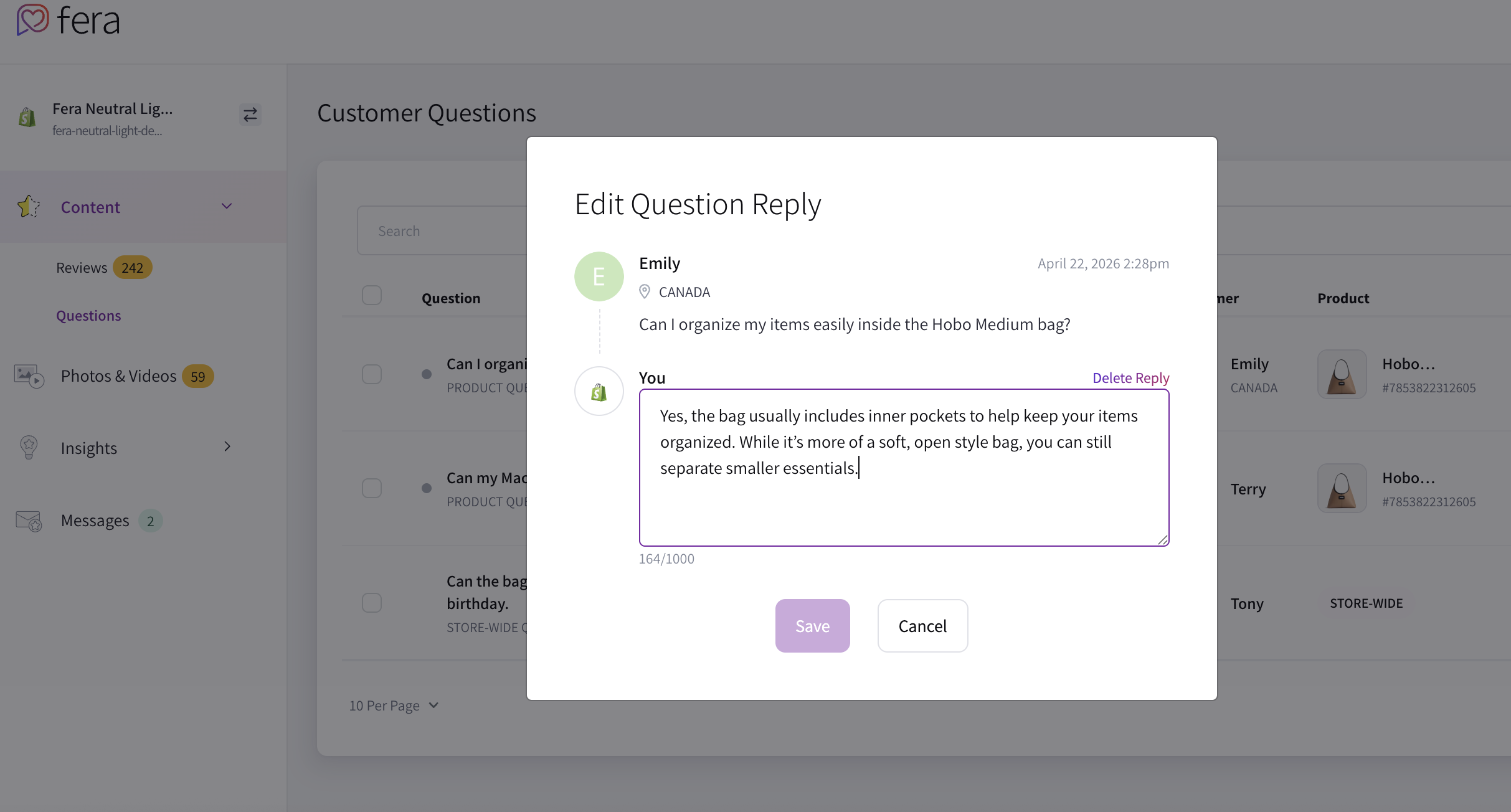
- Write clear, helpful answers - don't make them too short, just enough detail to actually answer the question properly.
- Add common questions yourself - If you already know what people usually ask, just add them. It saves time and helps customers right away.
- Respond quickly - Fast replies make your store feel active and reliable, which definitely helps.
Why Every Store Needs Q&A
Q&A sections aren’t just a "nice to have"—they actually help customers decide. They reduce hesitation, build more trust, and make it easier for someone to say "yes" to your product.
Activate the Q&A widget in your Fera dashboard today and start turning those unanswered questions into actual conversions.